Invoice Templates
Invoice Follow-Up Email Templates That Actually Get Paid
Dec 18, 2025
8 mins read
Most invoice follow-up emails fail because they sound like robots wrote them.
"Dear valued customer, Invoice #12345 for $2,500 is now 14 days overdue. Please remit payment at your earliest convenience."
Nobody talks like this.
Nobody responds to emails that sound like they came from a collections department.
I've spent the last 6 months watching business owners struggle with this exact problem. They know they need to follow up on overdue invoices, but they agonise over every word.
"Should I be firmer? Will I sound pushy? What if they think I'm being aggressive?"
So they either send nothing (bad idea) or they send something so overly polite that it gets ignored (also a bad idea).
Here's what I've learned:
The best invoice follow-up emails don't sound like invoice follow-up emails at all.
They sound like a real person checking in with another real person.
Why Most Invoice Follow-Up Templates Don't Work
Before I show you what works, let me show you what doesn't.
Here's what most "professional" invoice follow-up templates look like:
The Corporate Template:
"Dear [Client Name],
This is a friendly reminder that Invoice #12345 dated January 15th for the amount of $2,500.00 is now 14 days past due. Please remit payment at your earliest convenience to avoid late fees.
Thank you for your prompt attention to this matter.
Sincerely, Accounts Receivable"
What's wrong with this?
Nobody talks like this in real life. "Remit payment" "Your prompt attention to this matter" - what the?
It's threatening before it's helpful. Mentioning late fees in the first follow-up? That's aggressive.
It comes from "Accounts Receivable." Not a real person. Just a department. Easy to ignore.
It's too formal. When you're overly formal, you create distance, easier for clients to deprioritize your invoice.
Now here's what actually gets responses.
The EXACT Templates Invoice Nudge Uses (Yes, I'm Giving You the Secret Sauce)
I'm about to show you the actual templates running inside Invoice Nudge right now.
These are the emails that helped a marketing agency recover 3 out of 5 overdue invoices ($7,950) last week.
The same templates that helped a legal firm recover 5 out of 9 overdue invoices ($13,217) also last week.
They work because they don't sound like collection emails.
They sound like real follow-ups from real people.
Day 1-7 Overdue: The Friendly Check-In
Why this works:
"Hope you're well!" - You're starting with genuine care, not an accusation.
"Looks like" - Soft language. You're noticing, not demanding.
"Would you mind giving it a quick look" - This is a request, not a command. And it's easy. Just a "quick look."
"Thank you in advance" - You're assuming they'll do the right thing. This actually makes them more likely to do it.
The psychology here: You're giving them the benefit of the doubt. Maybe they forgot. You're not assuming they're avoiding payment. This makes them want to prove you right by paying quickly.
Day 8-14 Overdue: The Helpful Follow-Up
Why this works:
"Just following up" - Casual. Not "SECOND NOTICE" or "URGENT REMINDER."
"Am here to help if anything is unclear" - You're offering support, not making demands.
No "please" overload - Notice we dropped "in advance", it's getting slightly firmer without being aggressive.
The psychology here: You're still being helpful, but the tone has shifted slightly. The friendliness is still there, but there's a subtle "I'm following up because this needs attention" vibe.
Day 15-21 Overdue: The Direct Request
Why this works:
"Hey" instead of "Hi" - Slightly more casual, which makes it feel more serious. You're not being overly polite anymore.
"Still waiting on this one" - Direct and clear.
"Can you give me an update either way?" - This is the key phrase. You're asking for communication, not just payment.
No "thank you" - Notice what's missing? The automatic gratitude. You're shifting from hopeful to expectant.
The psychology here: You're done assuming good intentions. You need a response. The casual tone prevents it from feeling like an attack, but the directness shows you're not going to keep waiting silently.
Day 22-28 Overdue: The Final Professional Push
Why this works:
"Unfortunately" - This word carries weight. It shows disappointment without aggression.
"This one has been outstanding for a while now" - Understated but clear. You're acknowledging the timeline without saying "IT'S BEEN 28 DAYS."
"Are you able to sort out today?" - Specific deadline (today), but phrased as a question about their capability, not their willingness. This is less confrontational.
"Let me know if there's anything I can do to help" - Even at Day 28, you're still offering to help. This keeps the relationship intact while being firm.
The psychology here: This is your last attempt before picking up the phone or escalating. It's firm but not hostile. You're making it clear this needs to be resolved, but you're still leaving the door open for dialogue.
What Makes These Templates Different From Everything Else
Let's be honest about what you're probably thinking right now:
"These seem... too casual. Too informal. Won't clients think I'm not serious about getting paid?"
No.
Here's why these templates work when formal ones don't:
They sound like they came from an actual person. Not from some accounts person. Not "noreply@xero.com".
They escalate gradually. Day 7 is friendly. Day 14 is helpful. Day 21 is direct. Day 28 is firm. Your client can feel the progression without feeling attacked.
They make it easy to respond. Even if the client can't pay immediately, these emails make it easy to say "Hey, I saw this, dealing with cash flow issues, can we set up a payment plan?"
They maintain the relationship. You still have to work with this client (hopefully). These templates collect money without burning bridges.
They come from your real email address. This is huge. When clients see these emails coming from your actual email (not a generic reminder system), they respond.
How to Customize These Templates for Your Voice
Look, I'm giving you these templates because they work.
But don't just copy paste them without thinking.
You need to adjust them to sound like you.
Here's how:
If you're more formal: Change "Hey" to "Hi." Add "I hope this email finds you well" if that's your style. But keep the core structure and progression.
If you're super casual: "Hey mate" or "Hi there" works if that's how you normally talk to clients. Just don't go so casual that it seems unprofessional.
If you have specific industry language: A law firm might say "regarding invoice #X for legal services rendered." A construction company might say "for work completed on the Smith project." Make it specific to what you do.
If you work with international clients: Consider time zones and cultural norms. "Cheers" works great in Australia and the UK, less so in the US (though it's fine). "Thanks" is universal.
The key is this:
These templates should sound like emails YOU would actually send.
If you wouldn't say "Hope you're well!" in real life, don't use it.
But keep the underlying structure:
Start friendly (Day 7)
Offer help (Day 14)
Get direct (Day 21)
Be firm but professional (Day 28)
The Templates Most People Use (And Why They Fail)
Let me show you what NOT to do.
The Passive-Aggressive Template:
"Hi [Name],
I'm sure you're very busy, but I'm just wondering if you might have possibly received my previous emails about the outstanding invoice? No pressure, just thought I'd check in again.
Thanks so much, [Your Name]"
This is painful to read.
"I'm sure you're very busy" = You're apologizing for asking to be paid.
"Just wondering if you might have possibly" = So many qualifiers. You sound uncertain.
"No pressure" = Actually means "please don't ignore me again."
This template screams "I'm scared to ask for money" and clients can smell it.
The Over-Formal Template:
"Dear Mr. Johnson,
Per our records, Invoice #12345 remains unpaid as of this date. We request immediate remittance to avoid further action.
Regards, Accounts Payable"
This sounds like a legal threat, not a business email.
"Per our records" = Robot language.
"Immediate remittance" = Are we in the 1800s?
"Further action" = Vague threat that makes clients defensive.
The Guilt-Trip Template:
"Hi [Name],
I'm a small business owner like you, and unpaid invoices really hurt my cash flow. I rely on payments to keep my business running. Please understand how important this is.
[Your Name]"
Don't do this.
Yes, unpaid invoices hurt. But making your client feel guilty isn't a strategy - it's just uncomfortable for everyone.
Your client doesn't owe you their sympathy. They owe you the money for work you completed.
Keep it professional, not personal.
What to Do When Templates Aren't Enough
Here's the reality:
Email templates work great for the first 35 days.
After that? You need to pick up the phone.
If someone hasn't responded to 4 progressively firmer emails over 4 weeks, another email isn't going to change anything.
At Day 35+ it's time for a phone call. An actual conversation.
Here's what I've learned about those calls:
Don't be aggressive. "Hi [Name], it's [Your Name]. I'm calling about our invoice that's been outstanding for a month now. Is everything okay? Is there an issue with the invoice I should know about?"
Ask open-ended questions. "What's preventing payment right now?" is better than "When will you pay?"
Offer solutions. "Would a payment plan help? We could break this into three installments over 60 days."
Know when to escalate. If they're evasive, hostile, or non-responsive even on the phone, it's time to consider debt collection or legal action.
But for the first 35 days?
These email templates will handle 60-70% of your overdue invoices without you ever needing to make a call.
The Automation Reality (Why I Built Invoice Nudge)
Here's the problem with these templates: you still have to remember to send them.
You need to:
Track which invoices are overdue
Calculate how many days overdue each one is
Remember which template to use for each invoice
Actually send the emails
Track responses
Repeat every week
This is exactly why I built Invoice Nudge.
It does all of this automatically:
Monitors your Xero or QuickBooks for overdue invoices
Calculates days overdue and selects the right template
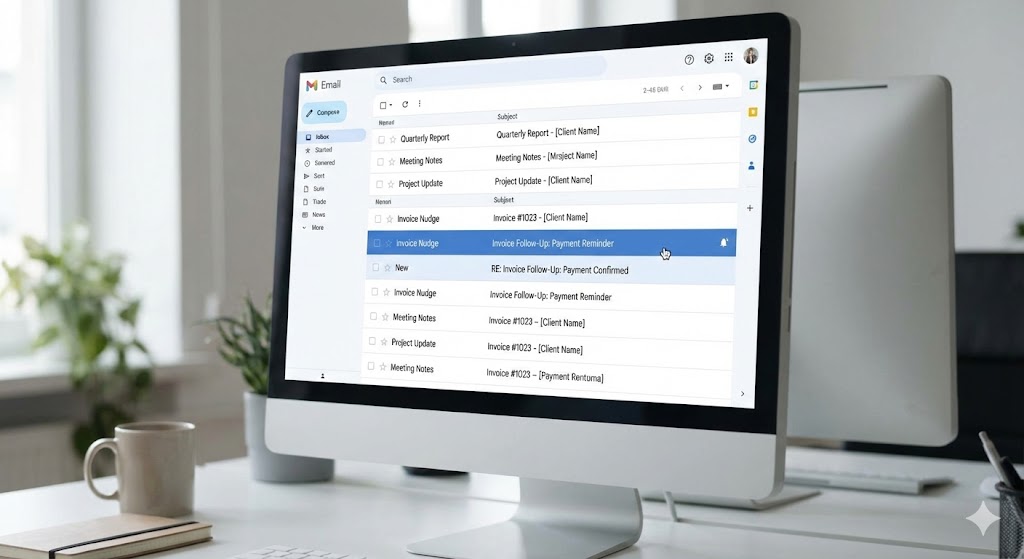
Creates draft emails in your actual Gmail or Outlook
Checks your email history to make sure you haven't already discussed this invoice
You just review the drafts (takes 10 seconds per invoice) and hit send from your own email address.
The system runs once a week, you've got your invoice follow-up drafts waiting in your inbox.
Ready to review and send.
No separate dashboard. No new tool to learn. Just drafts in your normal email.
One of our users (marketing agency) recovered 3 out of 5 overdue invoices last week. $7,950 collected.
Another user (legal firm) recovered 5 out of 9 invoices. $13,217.
Using these exact templates.
But automated so they don't have to think about it.
Your Action Plan: What to Do Right Now
If you've got overdue invoices sitting in your accounting software right now, here's what to do:
Today:
Pull a report of all overdue invoices
Sort them by days overdue (1-7, 8-14, 15-21, 22-28, 29+)
Use the templates above to send follow-ups to each one
For anything over 35 days, call them
This Week:
Save these templates somewhere you can easily access them
Set a recurring calendar reminder for every Tuesday to check for overdue invoices
Make this part of your weekly routine
Long Term:
Consider automating this entire process so you don't have to manually track and send these emails every week.
Invoice Nudge handles all of this automatically
These exact templates, appearing as drafts in your normal email, ready to review and send.
But whether you use Invoice Nudge or do it manually, the key is consistency.
Send these templates.
Every week.
For every overdue invoice.
That's the difference between collecting 5% of overdue invoices (via generic Xero/QuickBooks reminders) and collecting up to 64%.
The Bottom Line on Invoice Follow-Up Templates
You don't need fancy, formal, corporate language to get invoices paid.
You just need to sound like a real person having a real conversation.
These templates work because they:
Start friendly and escalate gradually
Sound like they came from an actual human
Make it easy for clients to respond
Maintain relationships while collecting money
The templates I've given you are the exact ones running inside Invoice Nudge right now. They've helped recover tens of thousands in overdue invoices over the past few months.
You can use them manually (just remember to actually send them consistently).
Or you can automate the entire process and get those hours of your life back.
Either way, stop agonising over what to say in invoice follow-up emails.
Use these templates. They work.
Related Resources
Want to dive deeper into invoice collection strategies? Check out these guides:
Chasing Overdue Invoices Without Damaging Client Relationships
Xero & QuickBooks Invoice Reminders: Why They Don't Work (And What Does)
Unpaid Invoice Debt Collection: When and How to Use Debt Collectors
Want these templates automated? Invoice Nudge creates intelligent follow-up drafts using these exact templates, appearing directly in your Gmail or Outlook. You review them in 10 seconds and send from your own email address. Start your 14-day free trial - setup takes 3 minutes.